

How it works
One code on your label, and a dashboard where you keep what it shows up to date. Here’s what that looks like.
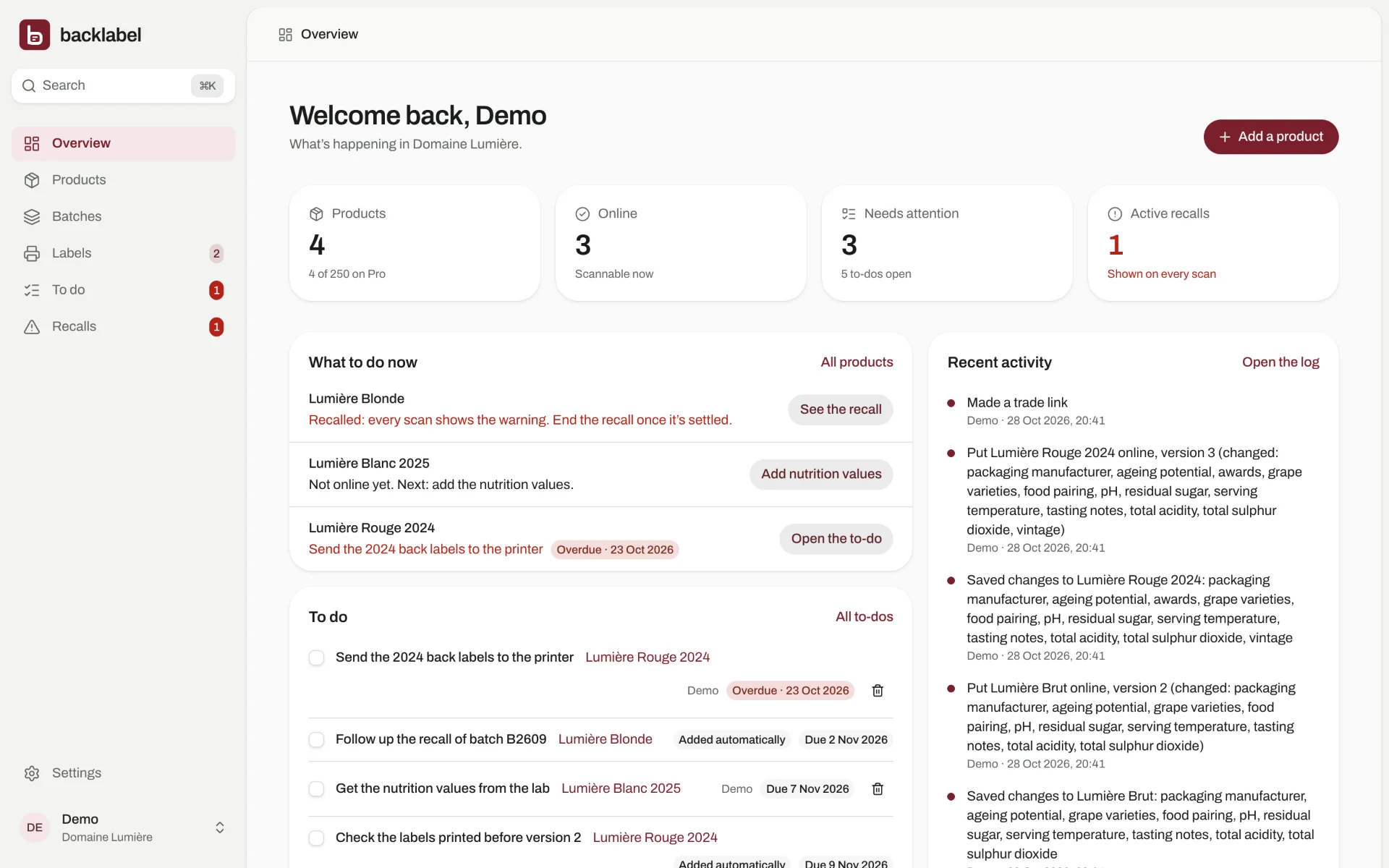
Inside the dashboard
These are real screens from Backlabel. Click through them, or try the demo yourself: nothing you change is saved.
Ready in ten minutes
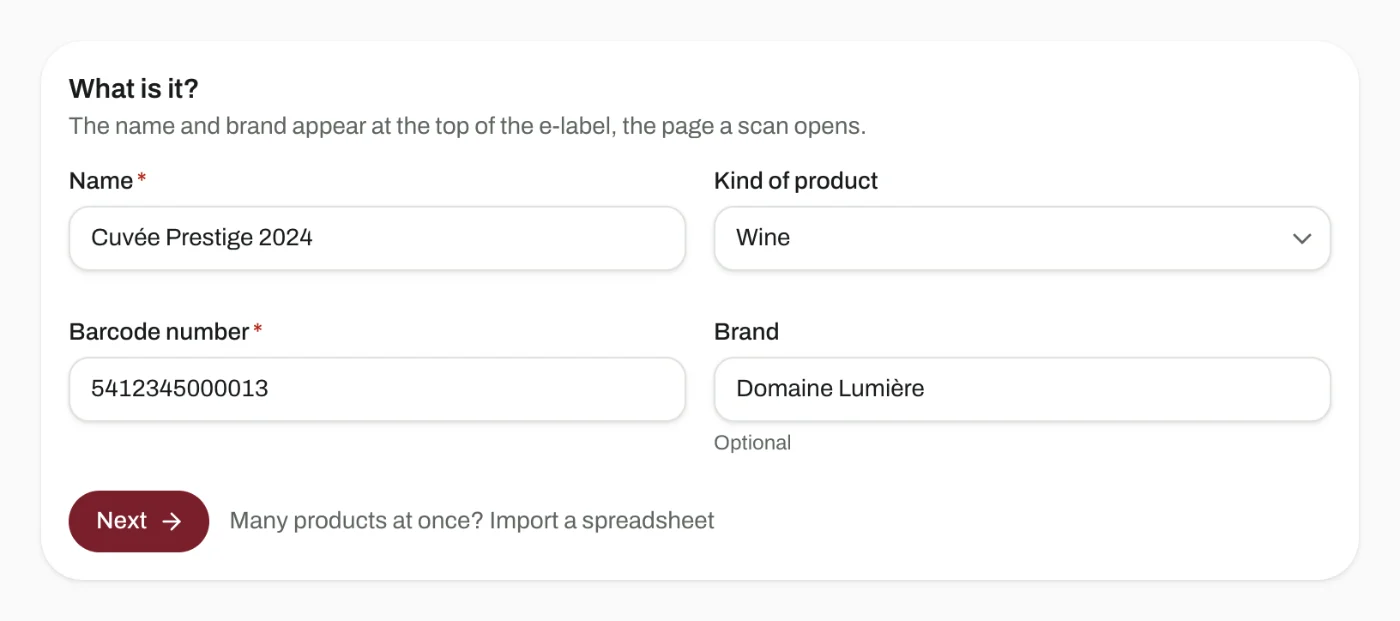
Add your product
Enter its barcode number (GTIN), name and category.
Fill in the label
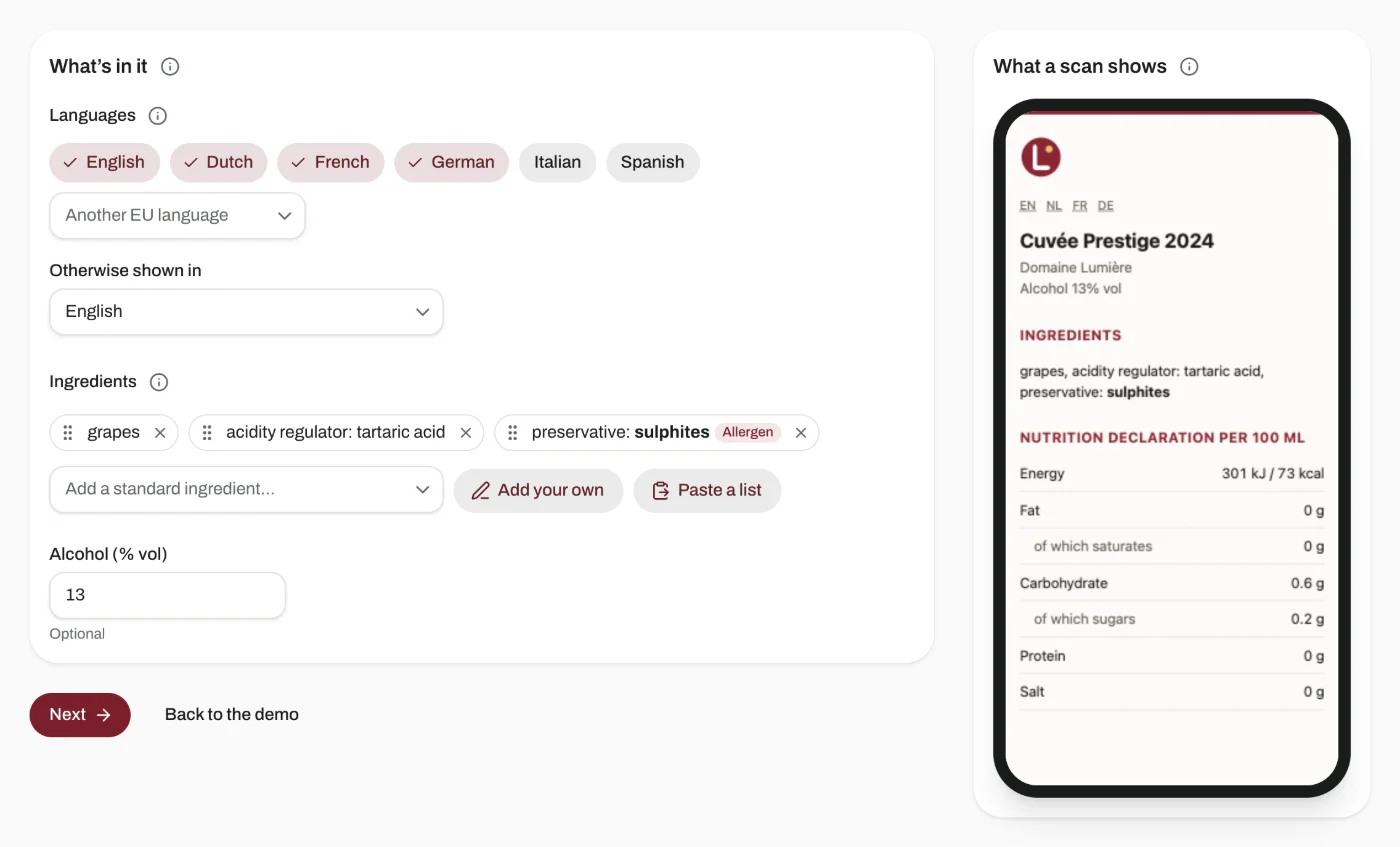
Pick the ingredients from a list in all 24 EU languages and fill in the nutrition. You see the e-label as you type.
Print the code
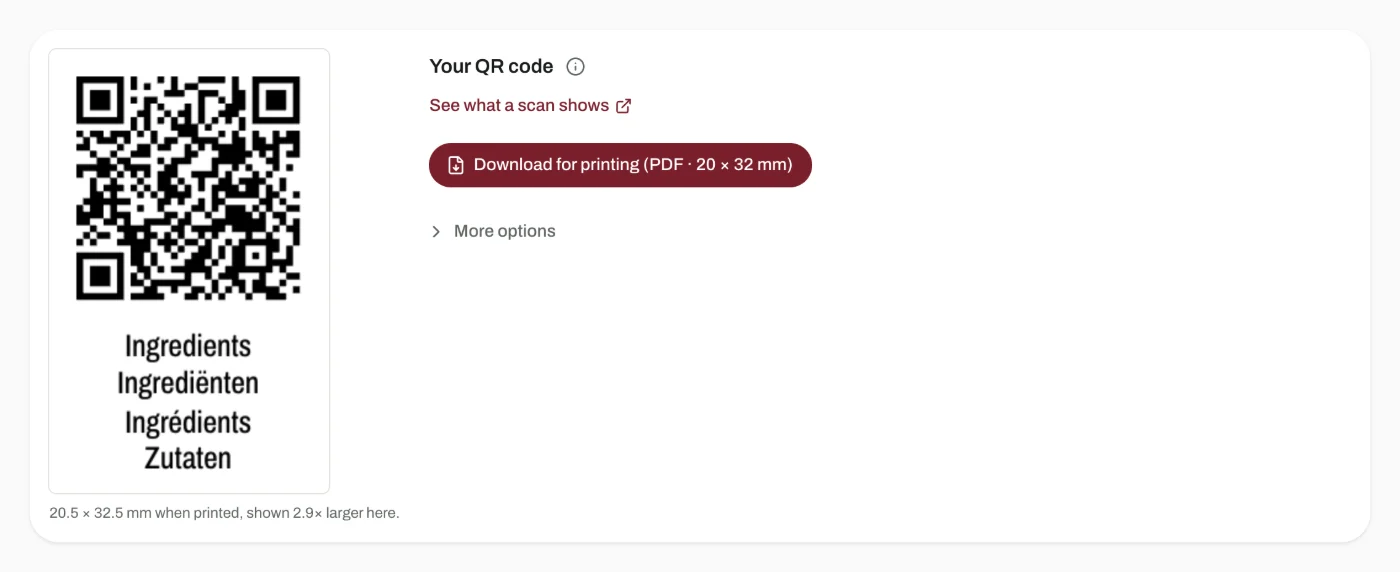
Download the code as a print-ready PDF, with the word “Ingredients” under it, and send it to your printer with the rest of the artwork.
What a scan opens
- A recalled lot
- The recall notice, in the shopper’s language, with your message. Always first.
- An older batch
- It can keep showing the version that matches its printed label, while newer bottles show your latest.
- Otherwise
- Your e-label, with ingredients, nutrition and allergens.
One code, three readers
- The checkout scanner
- Reads your barcode number from the code, so it works at the till as retailers move to 2D codes for GS1 Sunrise 2027.
- The shopper
- Sees the headings and nutrition in their own language, with the official EU terms. No app to install, no tracking, no advertising.
- You
- Change the page behind the code whenever you like, add a batch or flag a recall. Nothing to reprint.
Questions about the code
What happens to my codes if I stop paying?
They keep working. Every code keeps pointing to the last page you published. Cancelling only stops you from adding new products.
Do I need a new code for every batch?
No. One code per product works. Add the lot number to the code only if you want to recall one batch without touching the others. Each batch then gets its own code, made for you.
Can I change the label after printing?
Yes. The code points to Backlabel, and the page behind it always shows your latest version. Nothing to reprint.
Does the shopper need an app?
No. The phone’s camera opens the page. It loads fast and sets no cookies.
Put your first product online today
Free for up to 3 products, no card needed.